Find Fraud in Excel · free downloads

The Excel workbooks from the videos

Every Find Fraud in Excel video comes with two workbooks: the starting data, so you can follow along, and a solved copy with every test filled in. They are free, and there is nothing to sign up for.

Video 1 · 403 payments Video premieres 21 Nov

Duplicate payments

Ten invoices were paid twice, and most of them are disguised. Five COUNTIFS tests find every one, even when the invoice number, the date or the vendor record was changed.

  1. The exact duplicate
  2. Ignore the invoice number
  3. Clean the invoice number
  4. Same invoice, different vendor
  5. Paid close together
Watch the video on YouTube
Video 2 · 120 vendors, 48 employees Video premieres 28 Nov

Fake vendors

A vendor that exists only on paper still needs a bank account, an address and someone to set it up. Five tests compare the vendor list with the employee list.

  1. An employee’s bank account
  2. An employee’s address
  3. Missing details
  4. A shared bank account
  5. Paid too fast
Watch the video on YouTube
Video 3 · 60 vendors, 320 invoices, 40 employees Video premieres 5 Dec

Financial statement fraud

Ten red flags across a vendor list, a payables register and an employee list, from lookalike vendor names to split invoices and round numbers.

  1. Lookalike vendor names
  2. PO box addresses
  3. Missing or made-up details
  4. Consecutive invoice numbers
  5. Invoices over the credit limit
  6. Split invoices
  7. Same address, different vendor
  8. Invoice numbers that do not fit
  9. A vendor who is also an employee
  10. Round numbers
Watch the video on YouTube
Video 4 · 160 employees, 1,850 pay lines Video premieres 12 Dec

Ghost employees

Someone on the payroll who does not work there. Five payroll tests look at bank accounts, missing details, pay after the end date, leave and pension, and who changed the record.

  1. A shared bank account
  2. Missing details
  3. Paid after the end date
  4. No leave, no pension
  5. Who changed the record
Watch the video on YouTube
Video 5 · 760 claim lines, 40 employees Video premieres 19 Dec

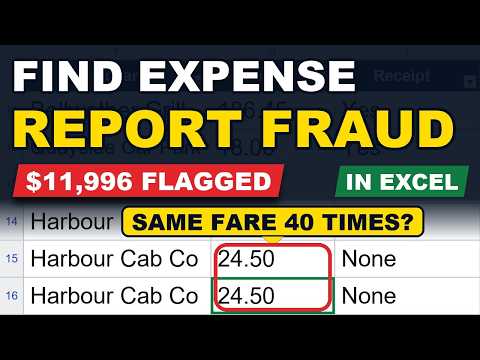
Expense report fraud

A year of expense claims and five tests for the padded and the invented ones, then a count of how many tests each employee trips.

  1. Duplicate claims
  2. Weekends and public holidays
  3. Round amounts
  4. Just under the receipt limit
  5. The same amount, again and again
Watch the video on YouTube
Video 6 · 2,064 payments Video premieres 21 Dec

Benford’s Law

Made-up numbers do not start with the digits real ones do. Count the first digit and the first two digits of every payment, compare them with Benford’s Law, then see who entered the odd ones.

  1. The first digit
  2. The first two digits
  3. Who entered them
Watch the video on YouTube
Video 7 · 1,121 transactions, 34 cards Video premieres 2 Jan

Company credit card fraud

One year of company card statements and five tests for personal spending, split purchases and gift cards, then a count of the tests each card trips.

  1. Personal-looking merchants
  2. Split purchases
  3. Weekends and public holidays
  4. Gift cards and round amounts
  5. One card far above its peers
Watch the video on YouTube

All of the data is made up for teaching. No real company or person is shown. Not affiliated with Microsoft; Excel is a trademark of Microsoft.

Good to know

Questions about the workbooks.

Is the data real?

No. Every vendor, employee, cardholder, invoice and amount was made up for teaching. Any resemblance to a real business or person is a coincidence.

What is the difference between the two workbooks?

The starting workbook has only the data, so you can build each test yourself while you watch. The solved workbook has every test filled in, a summary of what was found and an answer key on its About sheet.

Which version of Excel do I need?

Any recent one. The tests use standard functions such as COUNTIFS, SUMIFS, IF, WEEKDAY and MOD, so there is nothing to install and no macros to switch on.

Can I use the tests on my own data?

Yes, that is the point. Copy a formula, change the columns to match your own export, and fill it down. Remember that a flag is a reason to pull the paperwork, not proof of fraud.

Rather have Excel do more of the work?

AccountantsPowerUp is an Excel add-in for accountants: from messy export to ready for review.

See the Excel add-in